Send to everywhere
Aldus helps you manage your e-book library and sync with your e-reader, while giving you full control over your files.
From your file to every device you read on
Getting your books in
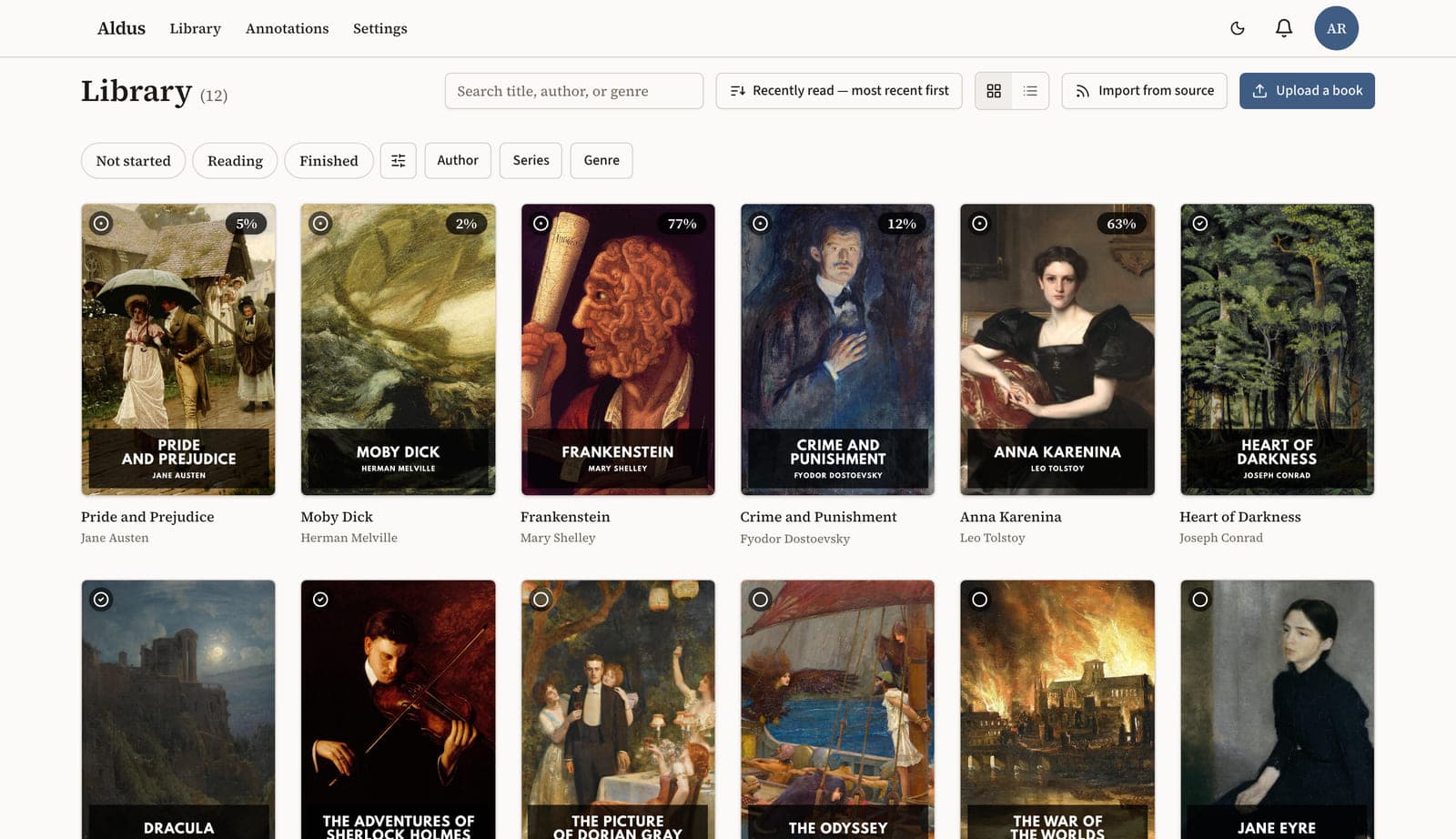
Add a file or connect a catalog. Every book is rebuilt to one standard, its metadata cleaned up, and filed in a library that holds a few books or several thousand.
Add a book
Drop in a file, or pull from an online catalog — Calibre, Komga, Kavita, or any OPDS server.
Books get rebuilt
Every book is normalized to one consistent standard, so a badly-made file reads like a well-made one. The original is kept, untouched.
Clean metadata
Fetch metadata from external sources — Google Books, Open Library and more. Edit anything, with full history and one-click revert.
Your library, organised
A few books or several thousand, with tools to support power users.
Reading your books
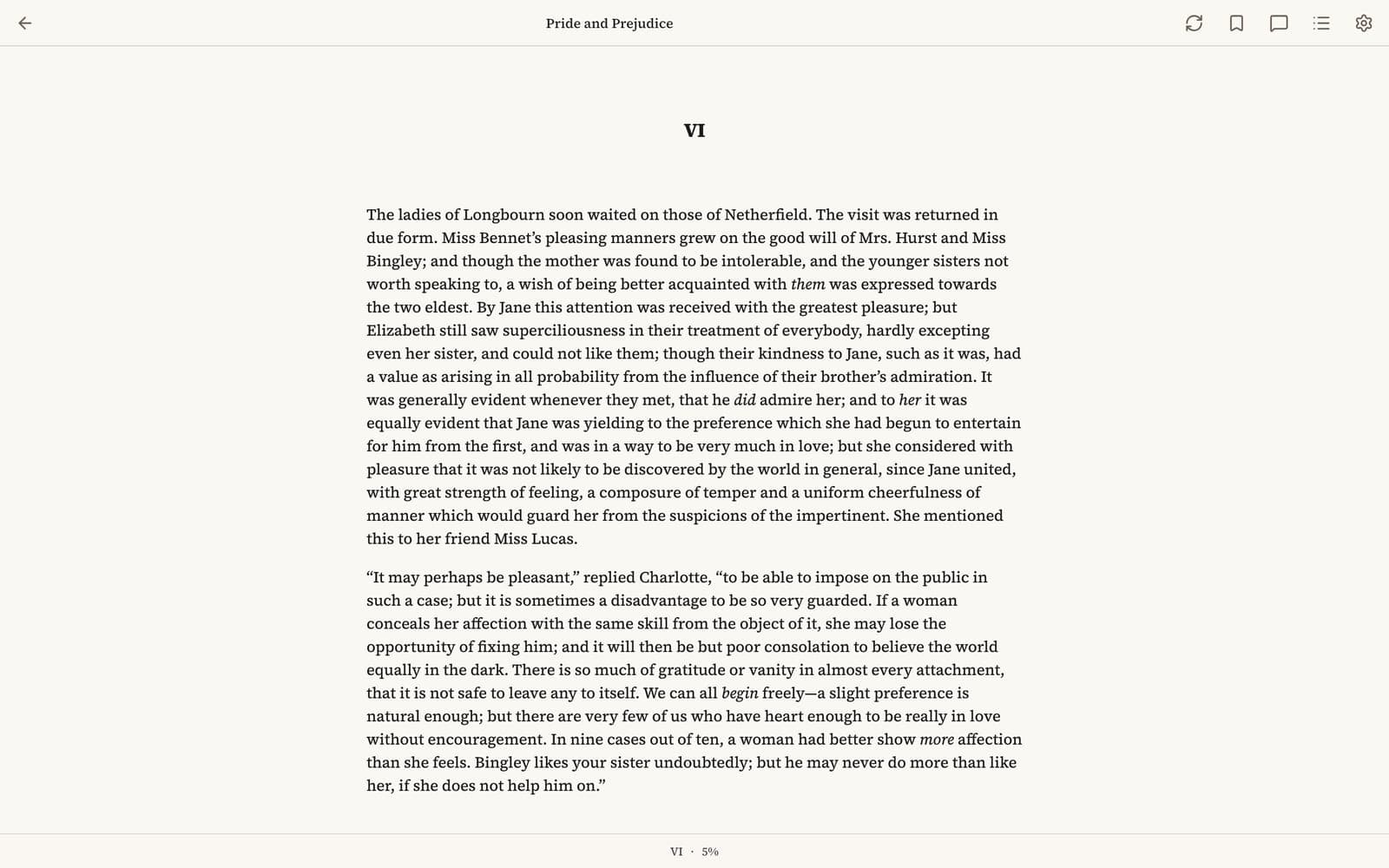
In the browser, or on the e-reader you already own. Personalise your books the way you like to read them. Your highlights, your notes and your place follow you between them.
Read books anywhere
In the browser, or in any iOS or Android app that speaks OPDS and KOSync. Our own apps are coming.
Personalise your books
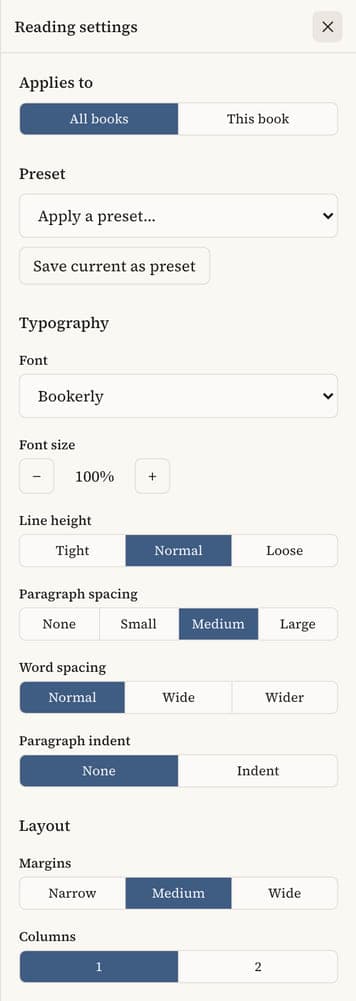
Font, size, line and paragraph spacing, margins, columns, hyphenation, colour. Every book opens the way you set it.
Highlight, note, bookmark
Everything you mark as you read — highlights, comments, bookmarks — collected in one place, per book and across your whole library, so it’s easy to find again months later.
Your reading progress, across devices and apps
Reading position syncs both directions, thanks to our own KOSync server.
A library you own
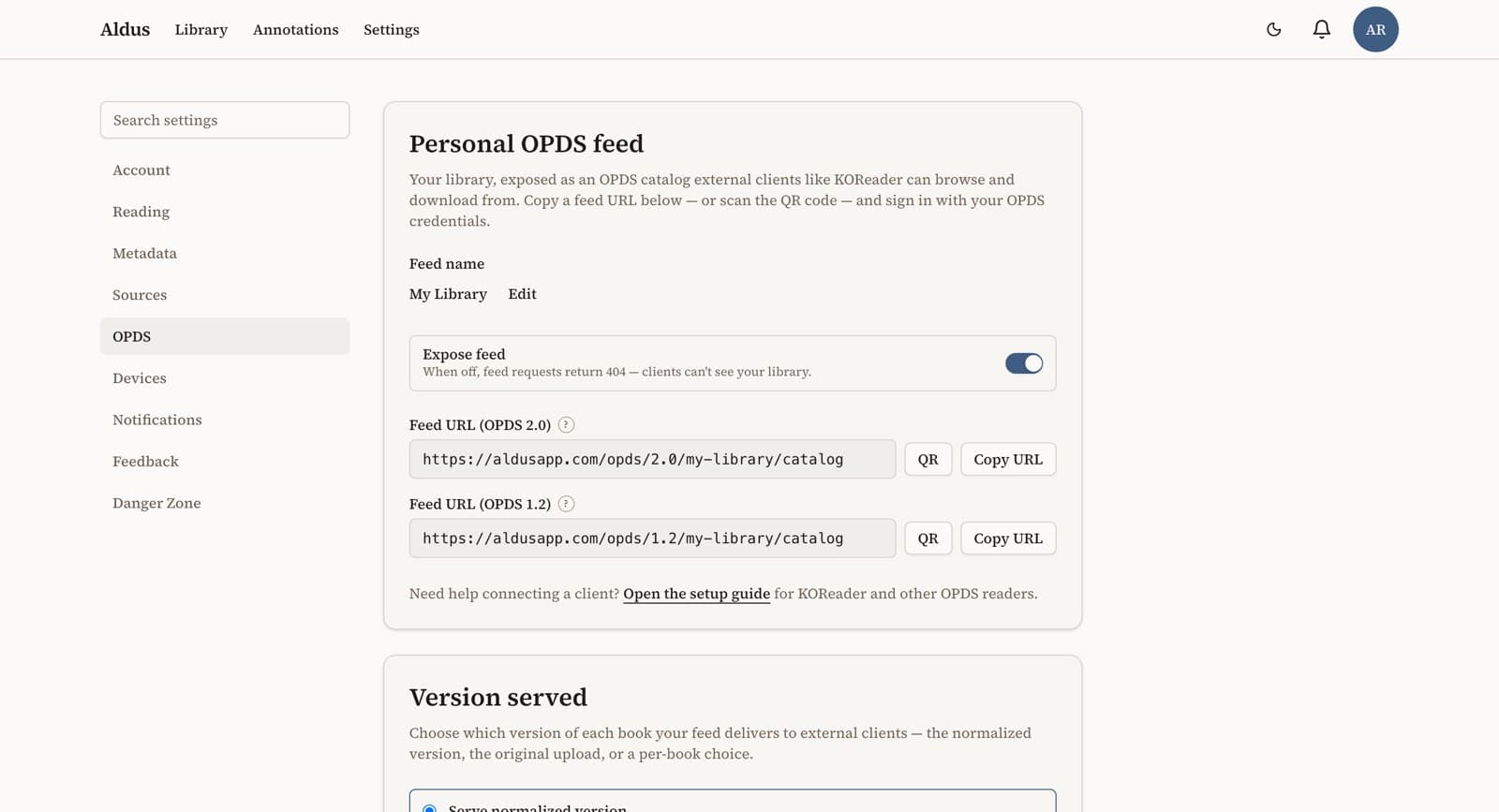
Your books stay files you own, served over your own private feed to any app that speaks OPDS. Nothing about them is locked to Aldus.
Set up your own feed
Turn on your personal OPDS feed, name it, and point KOReader — or any OPDS client — at it. Your library, on your device, over a protocol nobody owns.
Share your books
Your own private OPDS feed for your devices — or a single book by link, expiring and revocable.
See what you’ve read
Time read, books finished, streaks, and breakdowns by genre and author.
Built on open standards. Interoperable.
Aldus reads on the apps and devices you have today. Our own apps for phone and desktop are on the way.
Web
NowThe full reader, in any browser, on any machine. Nothing to install.
E-ink
NowKobo, Boox, PocketBook — through KOReader. Your whole library over your feed, position synced both ways.
iPhone / iPad
Coming soonNo Aldus app yet. We recommend Readest — it reads from your feed and syncs your position today.
Android
Coming soonNo Aldus app yet. KOReader and Readest both work today.
Mac / Windows / Linux
Coming soonThe browser is the desktop app today.
Get more from your books
Coming soon — Listen to it
Any book in your library, read aloud in a real voice.
Coming soon — Recaps and character notes
Catch up on a series without being spoiled past where you stopped. Ask who a character is, and get an answer from the book in front of you.
Coming soon — Scan a page to carry on
Reading the paper copy? Point your camera at the page and pick up from exactly there.
Coming soon — OCR for scanned PDFs
Make a scanned document searchable, selectable and highlightable.
Coming soon — Dictionaries and translation
Look up a word or translate a passage without leaving the page.
Coming soon — Control it from anywhere
Point Claude, or any MCP client, at your library. Ask what you’ve read, what’s next, what happened in book one.
Aldus is in closed beta.
Request an invite to get in.